

What's New
The latest features, improvements, and fixes shipped to ScaleWyz. We release updates frequently to help you run better operations.
Public Forms - Collect Customer Feedback Without Login
Gather valuable customer input effortlessly with our new Public Forms system. Design custom forms with various field types, generate shareable links or QR codes, and collect responses directly tied to your customers and assets.
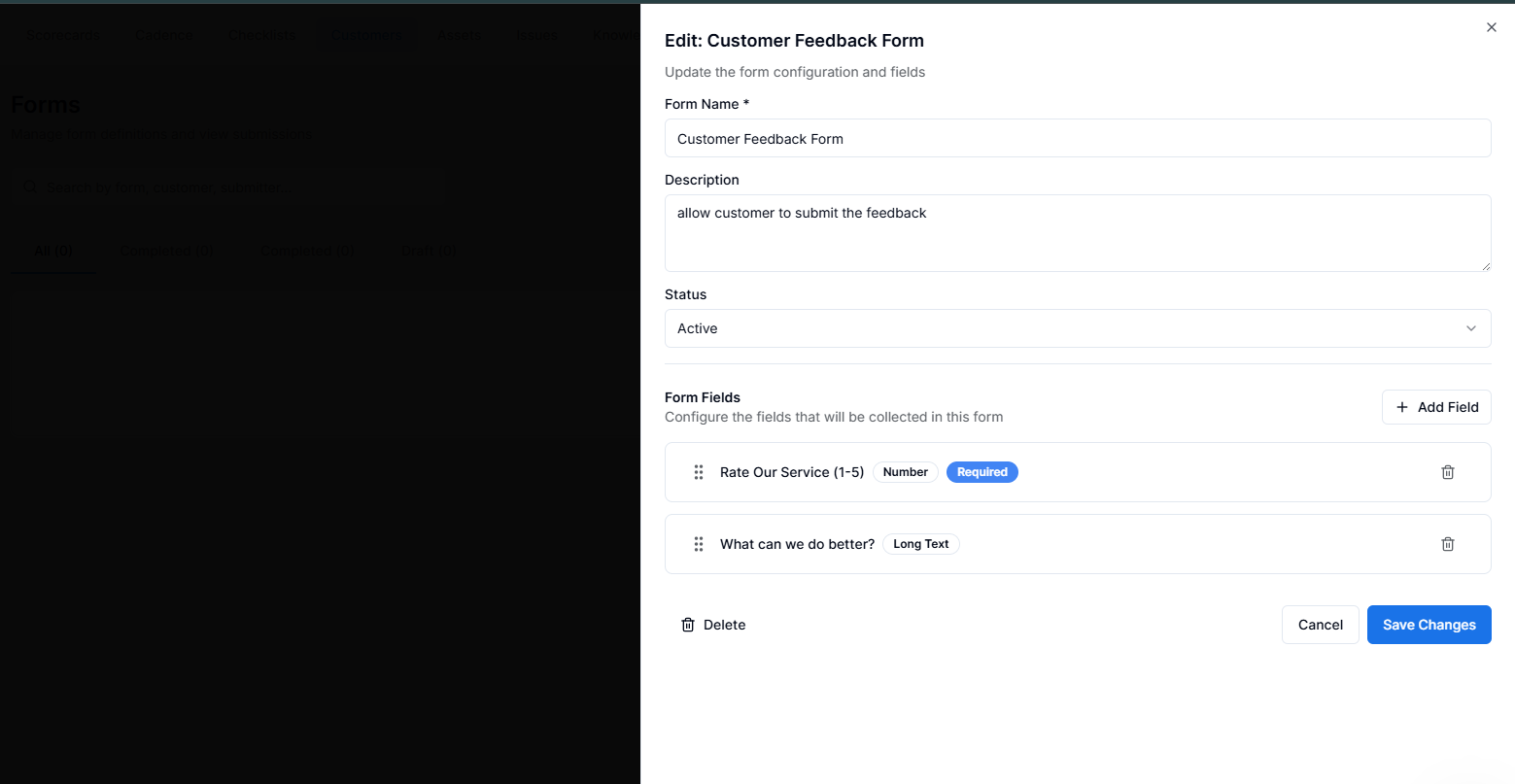
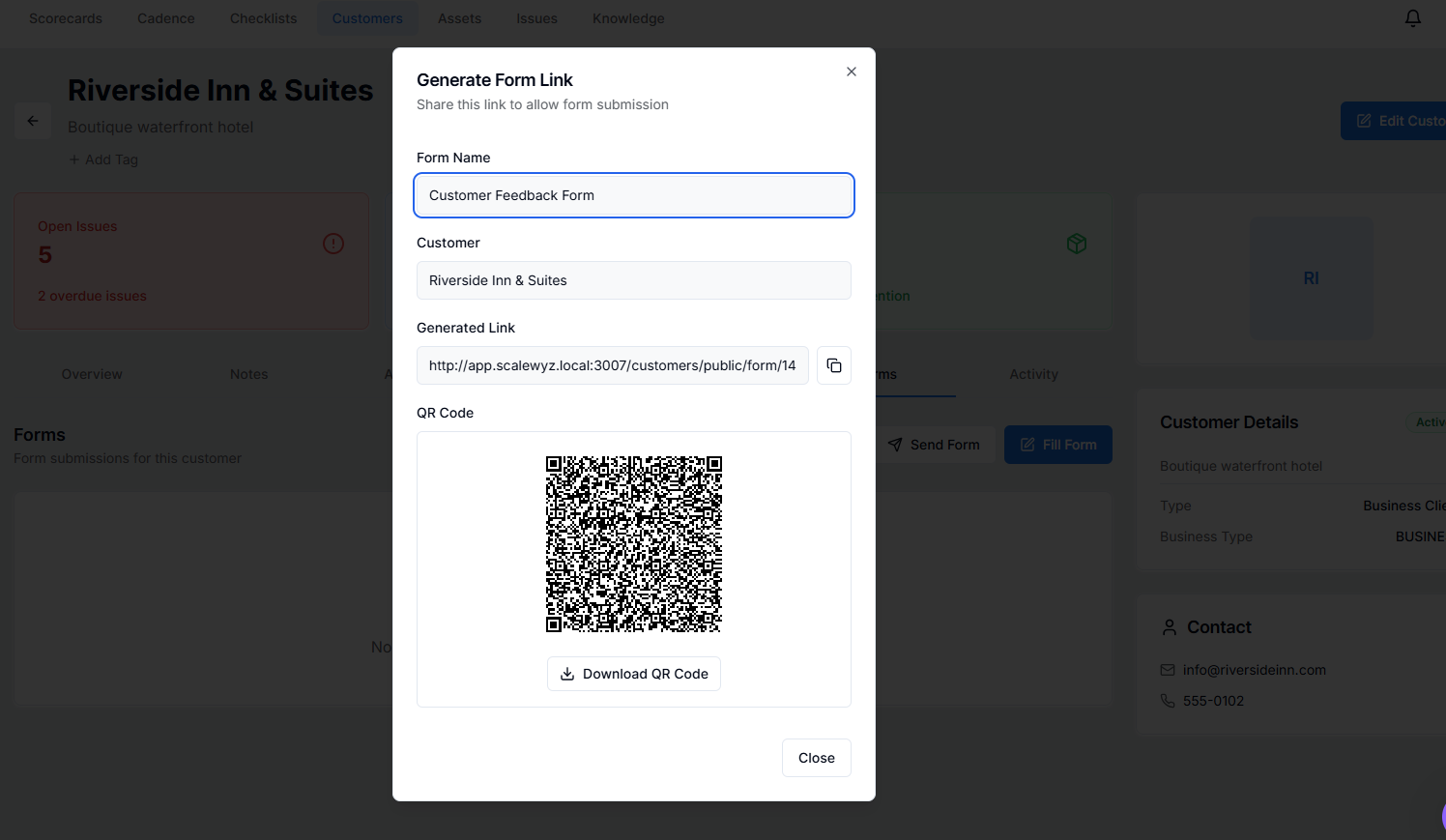
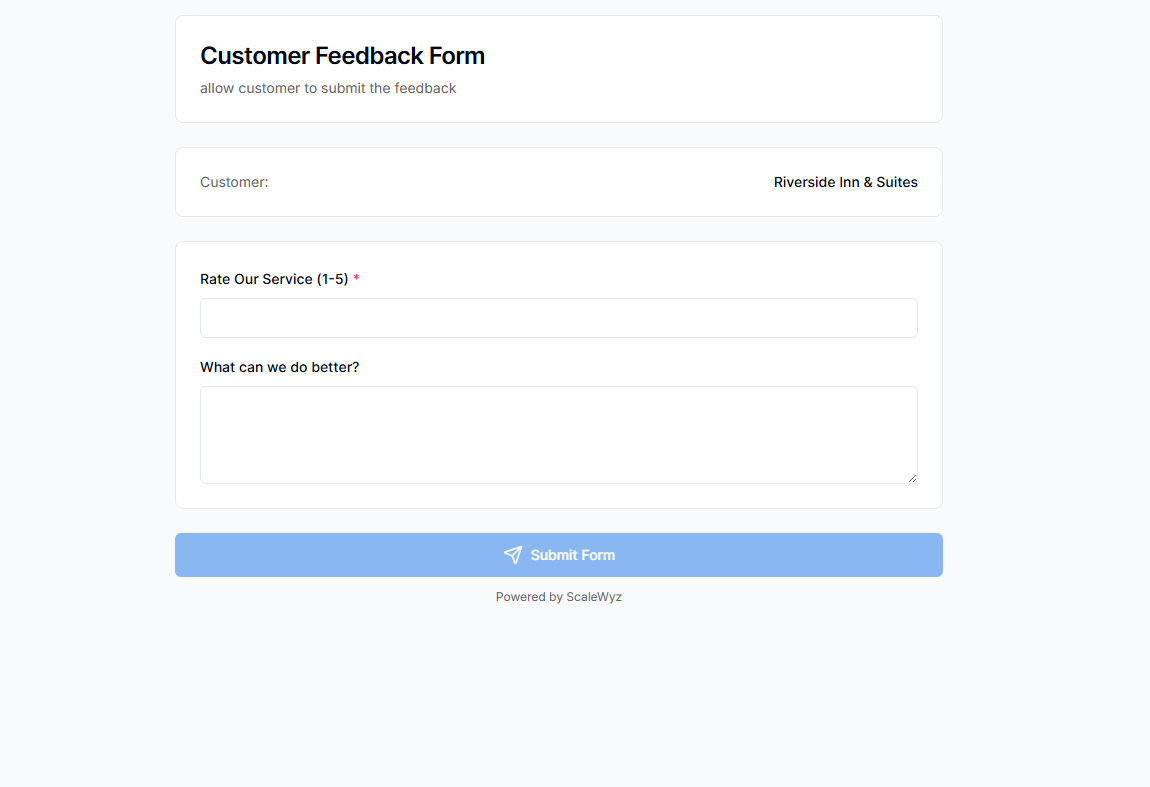
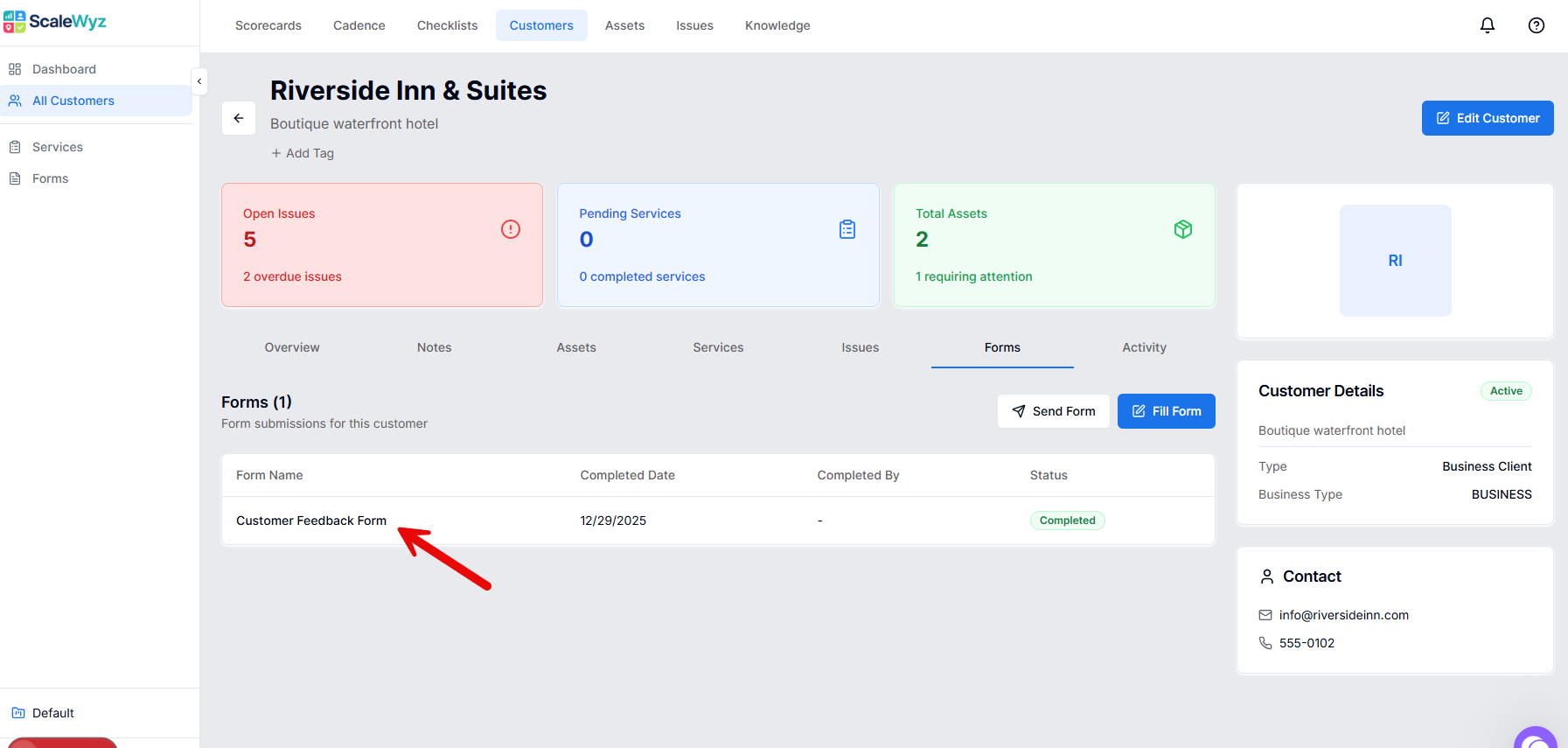
- ●Visual form builder with 15+ field types
- ●Generate shareable links and QR codes
- ●Auto-link submissions to customers and assets
- ●View all responses in one dashboard
- ●Attach forms to completed checklists for follow-up
Automation Rules - Trigger Actions Based on Work Completion
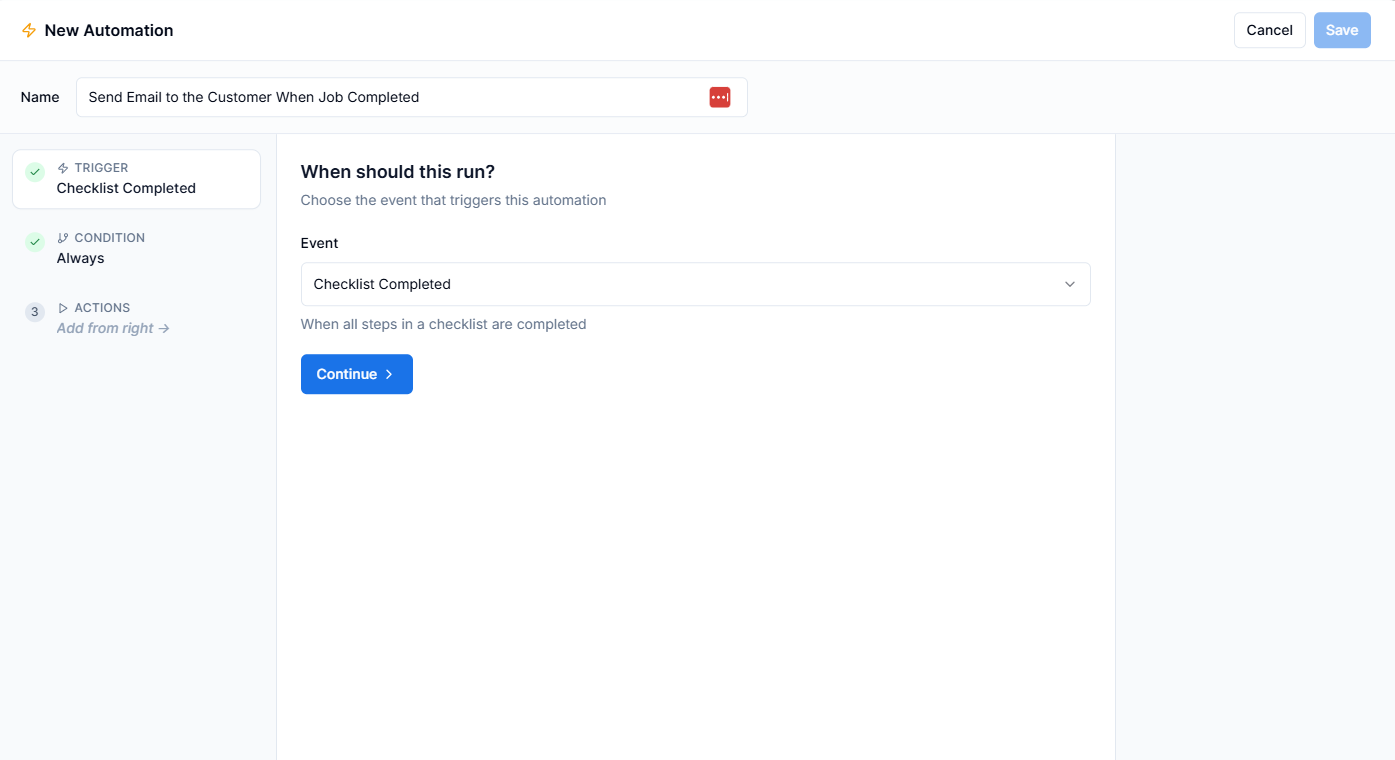
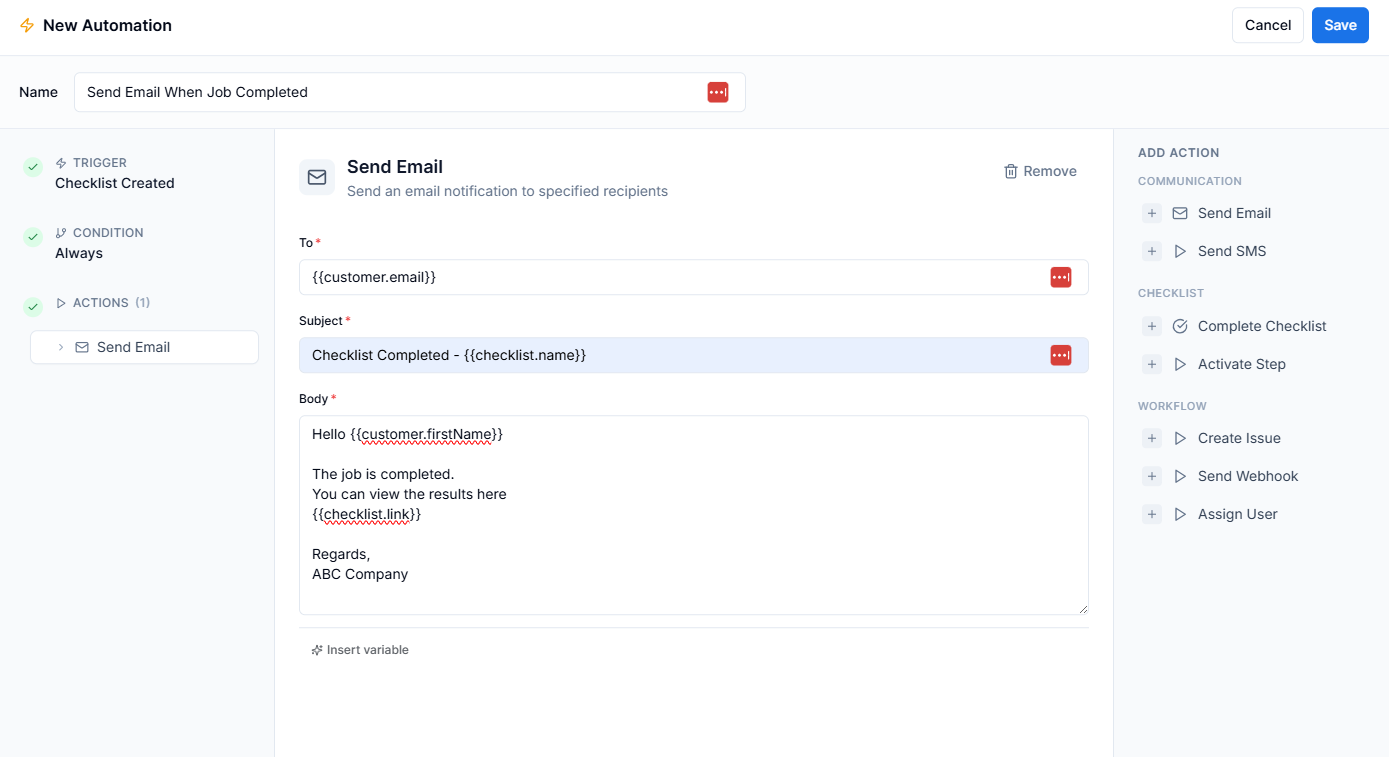
Automate your operational workflows with our visual rule builder. Set up conditions based on checklist completion, form responses, or step outcomes, then trigger actions like sending emails, creating follow-up issues, or notifying team members.
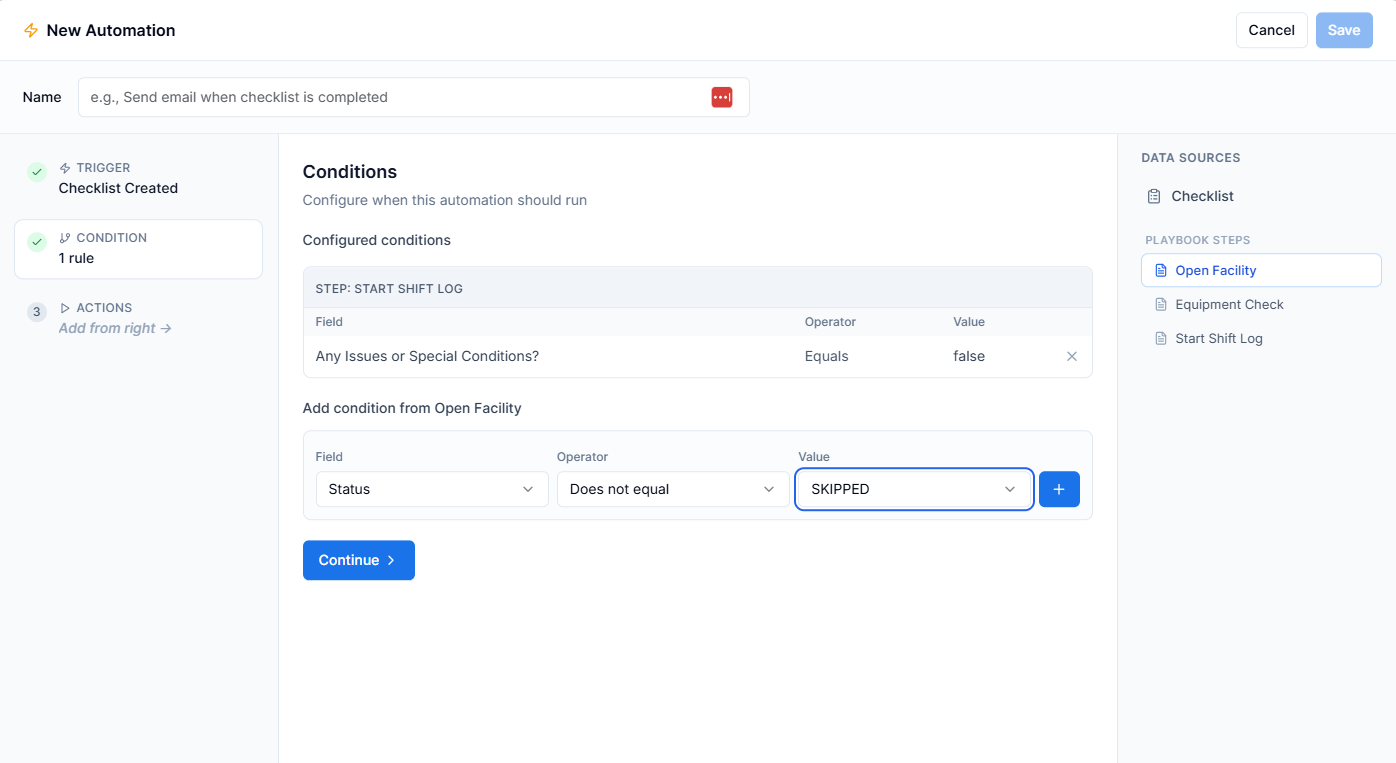
- ●Visual condition builder with AND/OR logic
- ●Multiple trigger events (checklist complete, step done, etc.)
- ●Actions: Send email, SMS, create issue, webhook
- ●Template variables for personalized messages
- ●Test automations before activating
Timeline View - See the Complete History of Any Record
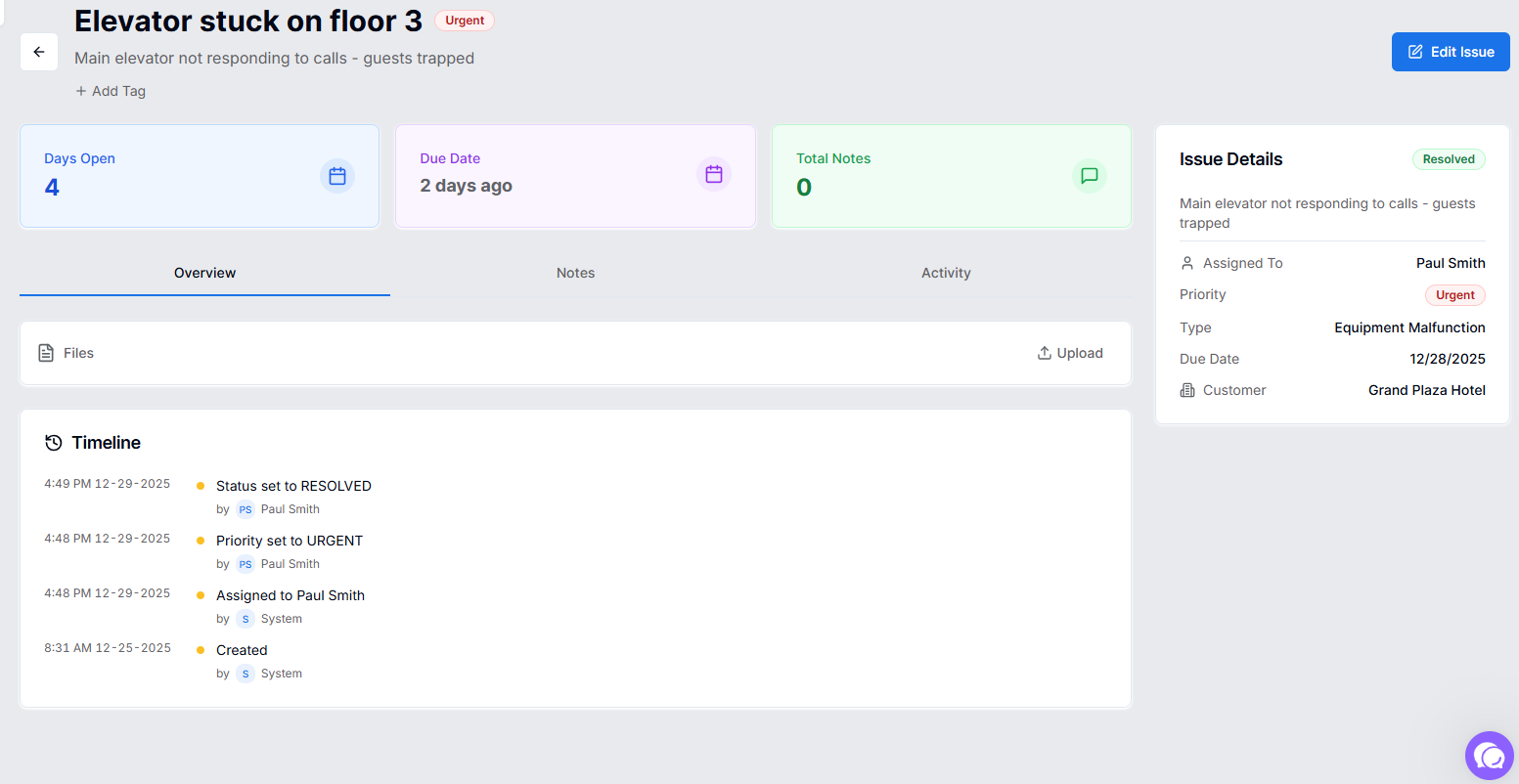
Gain full visibility into your operational history with timeline tracking across all major entities. See exactly when a customer was created, who changed an issue status, when an asset went into maintenance, or how a checklist progressed.
- ●Automatic event capture (no manual logging)
- ●Track status changes, assignments, priority updates
- ●User attribution with timestamps
- ●Clean, chronological activity feed
Advanced Scheduling - Daily, Weekly, Monthly & Hourly Options
Take control of your recurring operations with our enhanced scheduling system. Set up playbooks to automatically create checklists on a daily, weekly, monthly, or even hourly basis.
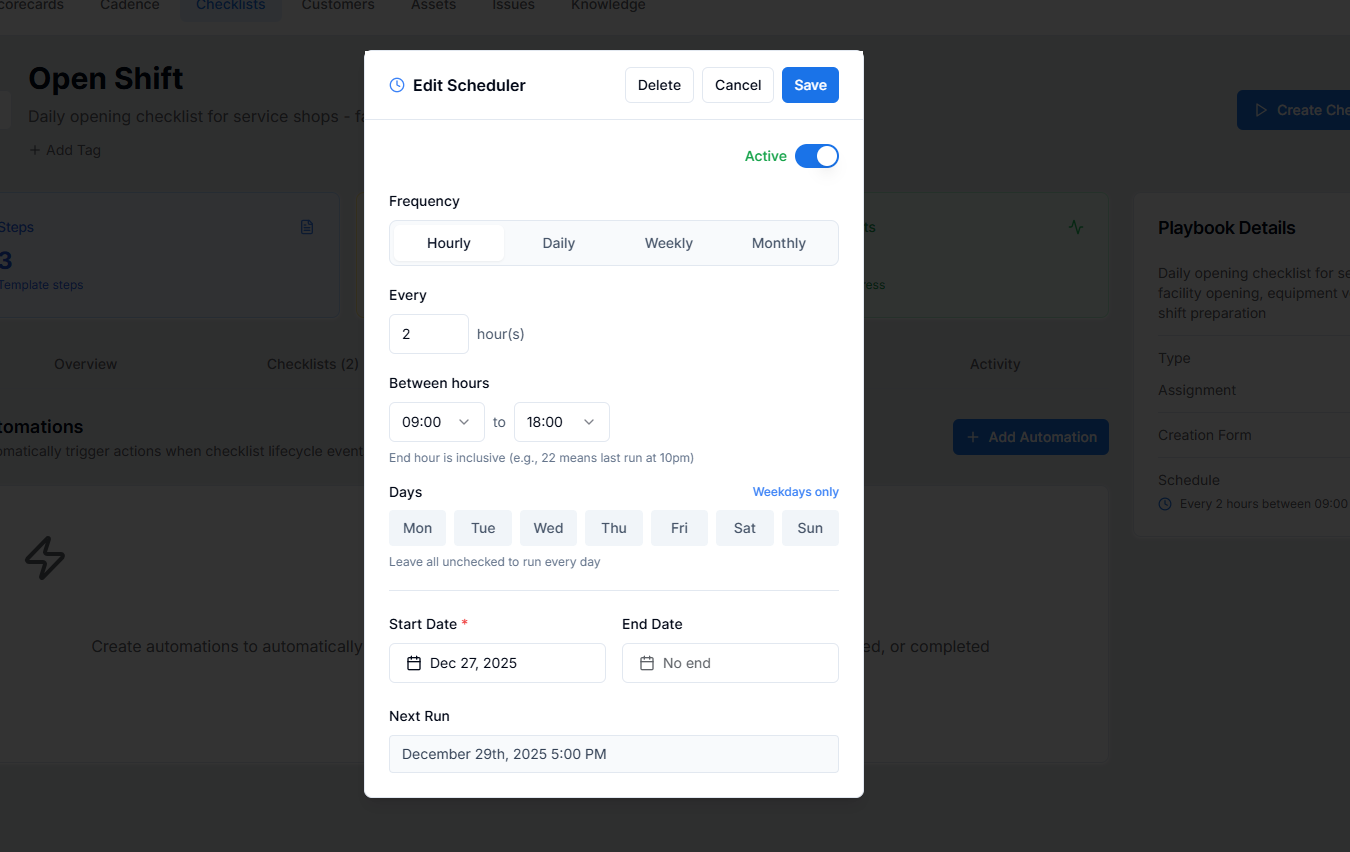
- ●Daily, weekly, monthly scheduling
- ●Hourly intervals with time windows (e.g., every 2 hours from 6am-10pm)
- ●Weekday-only option for business hours
- ●Automatic checklist creation and assignment
- ●Track missed schedules with MISSED status
Dashboard Views - At-a-Glance Operational Insights
Stop hunting for information. Our new dashboard views in every app give managers instant visibility into what needs attention. See customers with open issues, assets requiring maintenance, overdue checklists, and high-priority items - all at a glance.
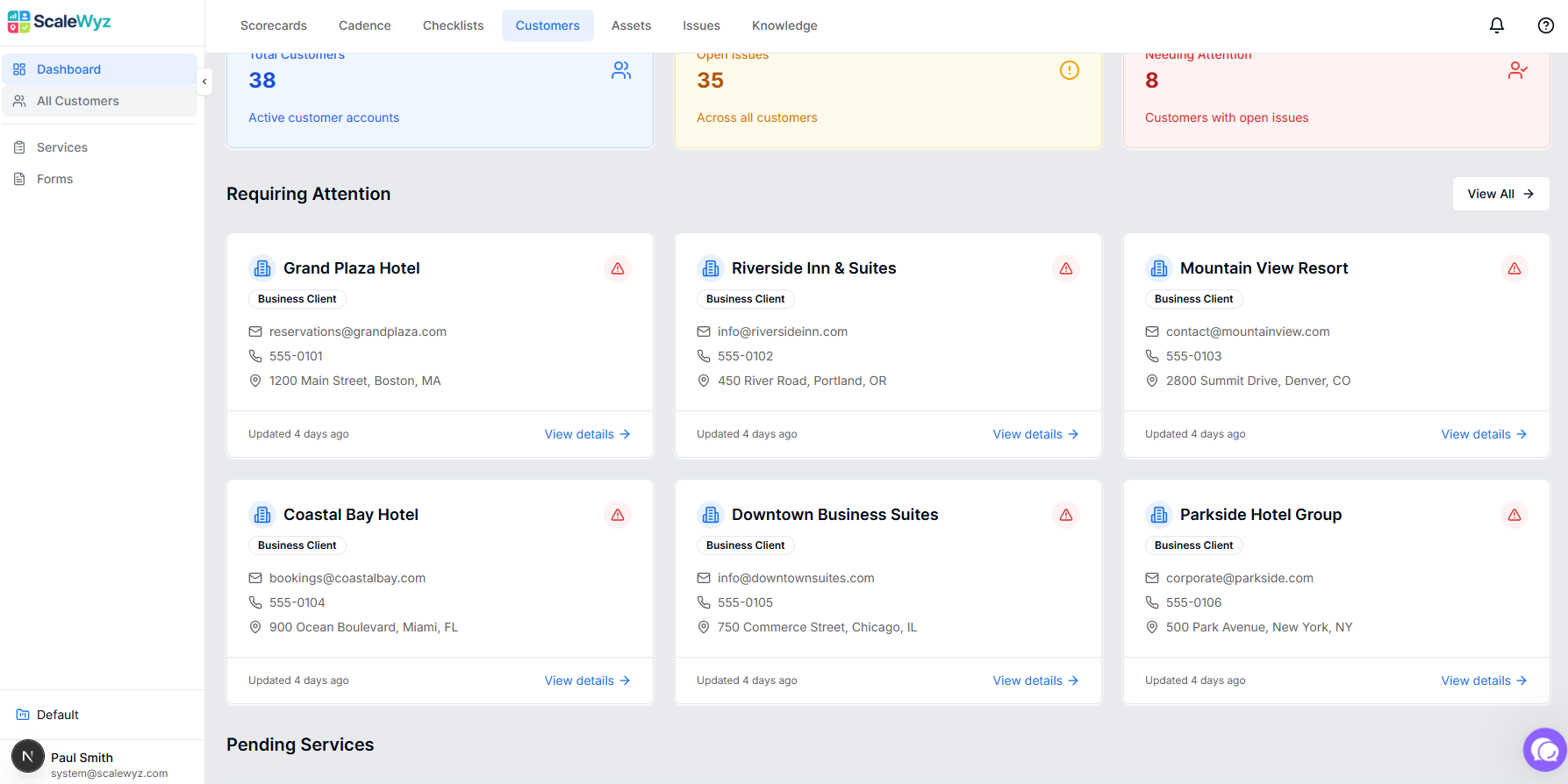
- ●Metrics cards (total, active, requiring attention)
- ●"Requires Attention" sections for each entity
- ●Recently viewed items for quick access
- ●Visual status indicators
- ●One-click navigation to detail pages
Custom Tags - Organize & Filter Your Data Your Way
Organize your operations data the way that makes sense for your business. Create custom tags with 12 color options, apply them to any record, and filter views to find exactly what you need.
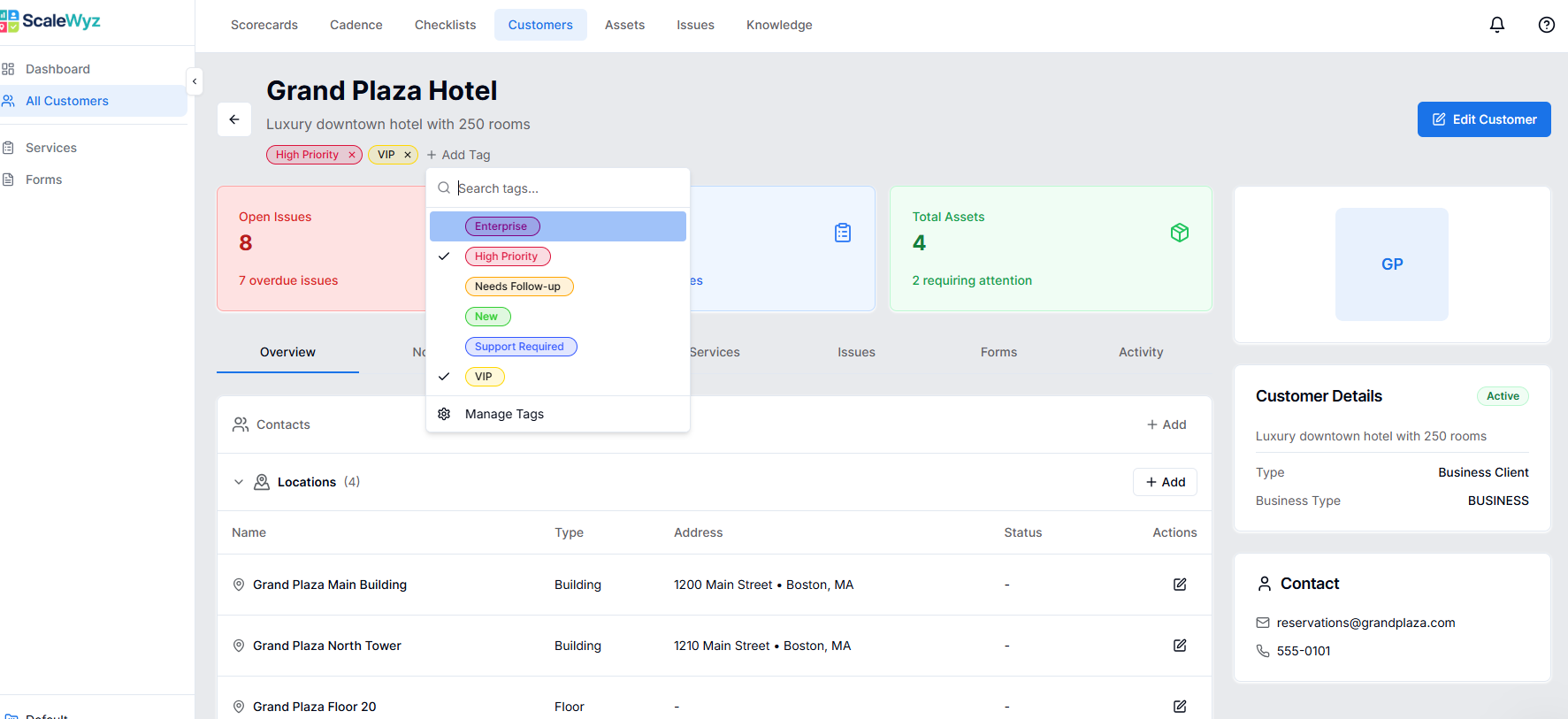
- ●Custom tags with 12 color options
- ●Apply to Customers, Assets, Issues, Checklists
- ●Restrict tags to specific entity types
- ●Quick tag selector on detail pages
- ●Filter lists by tags
Issue Management - Complete Problem Tracking in One Place
Manage operational problems from start to finish with our enhanced Issue detail page. Track status progression, add notes and file attachments, assign to team members, and see the complete activity history.
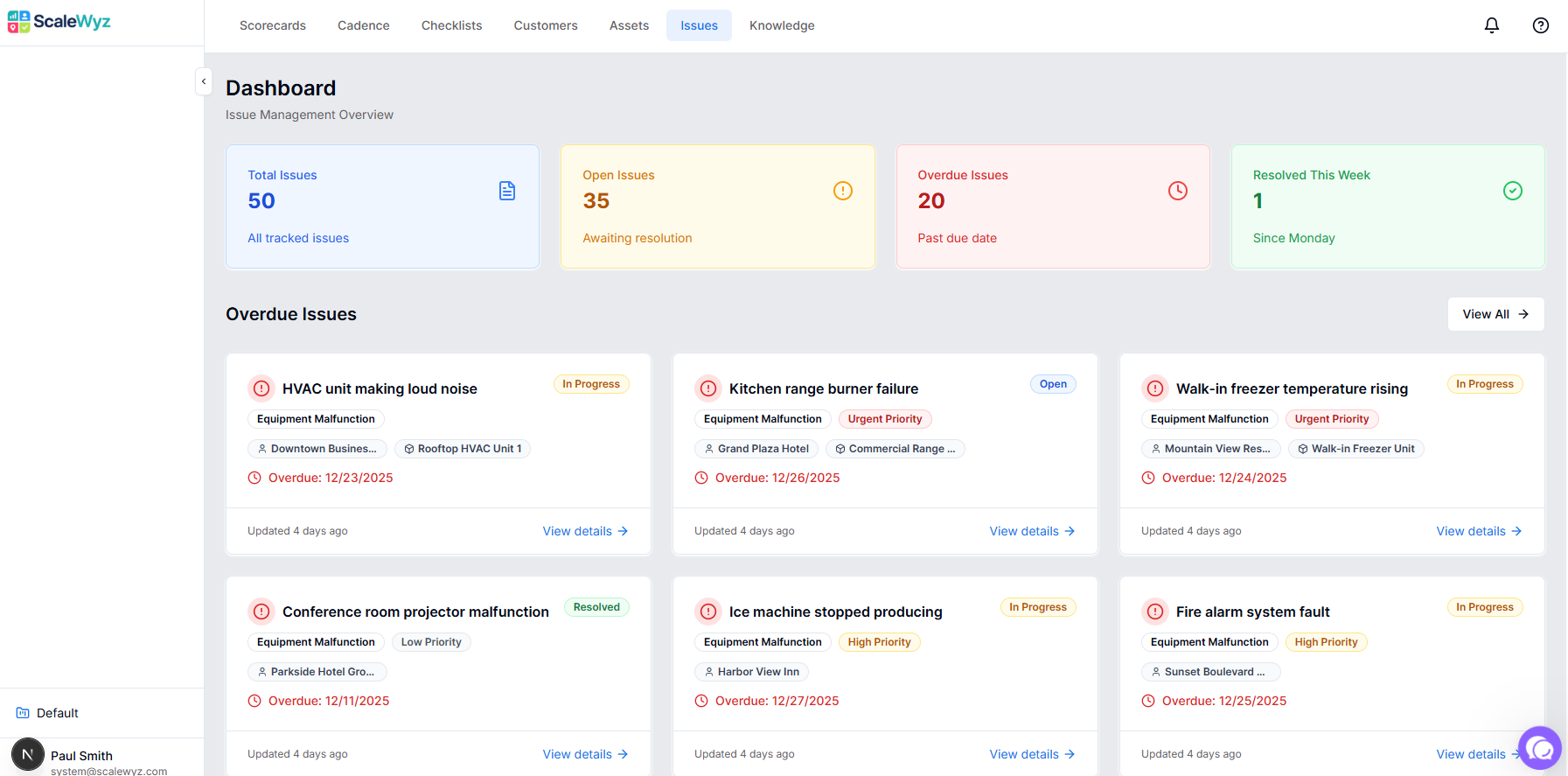
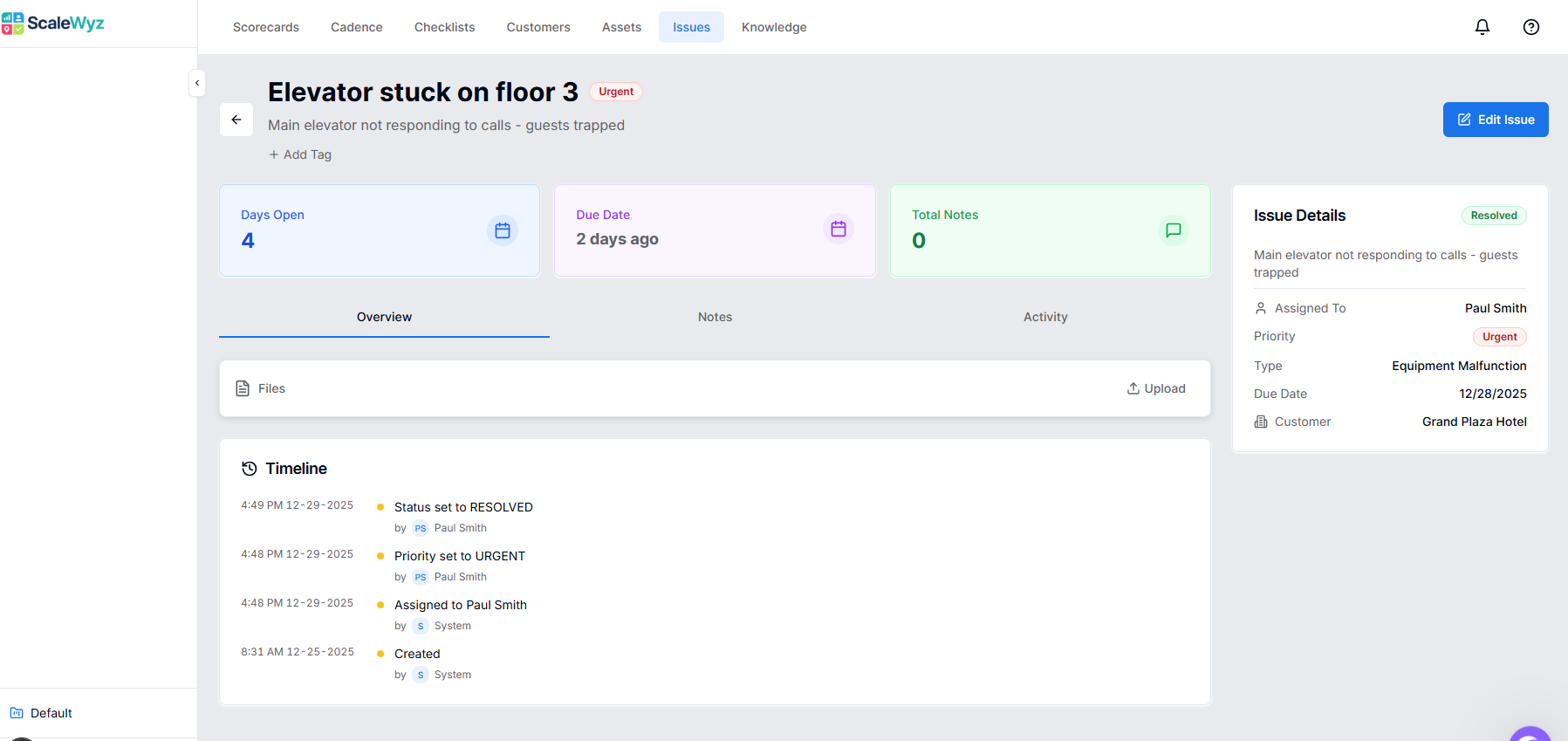
- ●Clean status workflow: Open → In Progress → Resolved
- ●One-click status buttons in header
- ●Notes, files, and activity tabs
- ●Customer and asset linking
- ●Priority and due date tracking
Improvements & Fixes
- ●Asset detail pages now include Services, Issues, and Activity tabs
- ●Auto-assignment by issue type - configure default assignees per issue type
- ●Simplified issue workflow - three clear states: Open, In Progress, Resolved
Customer Services Tab - See All Work for Each Client
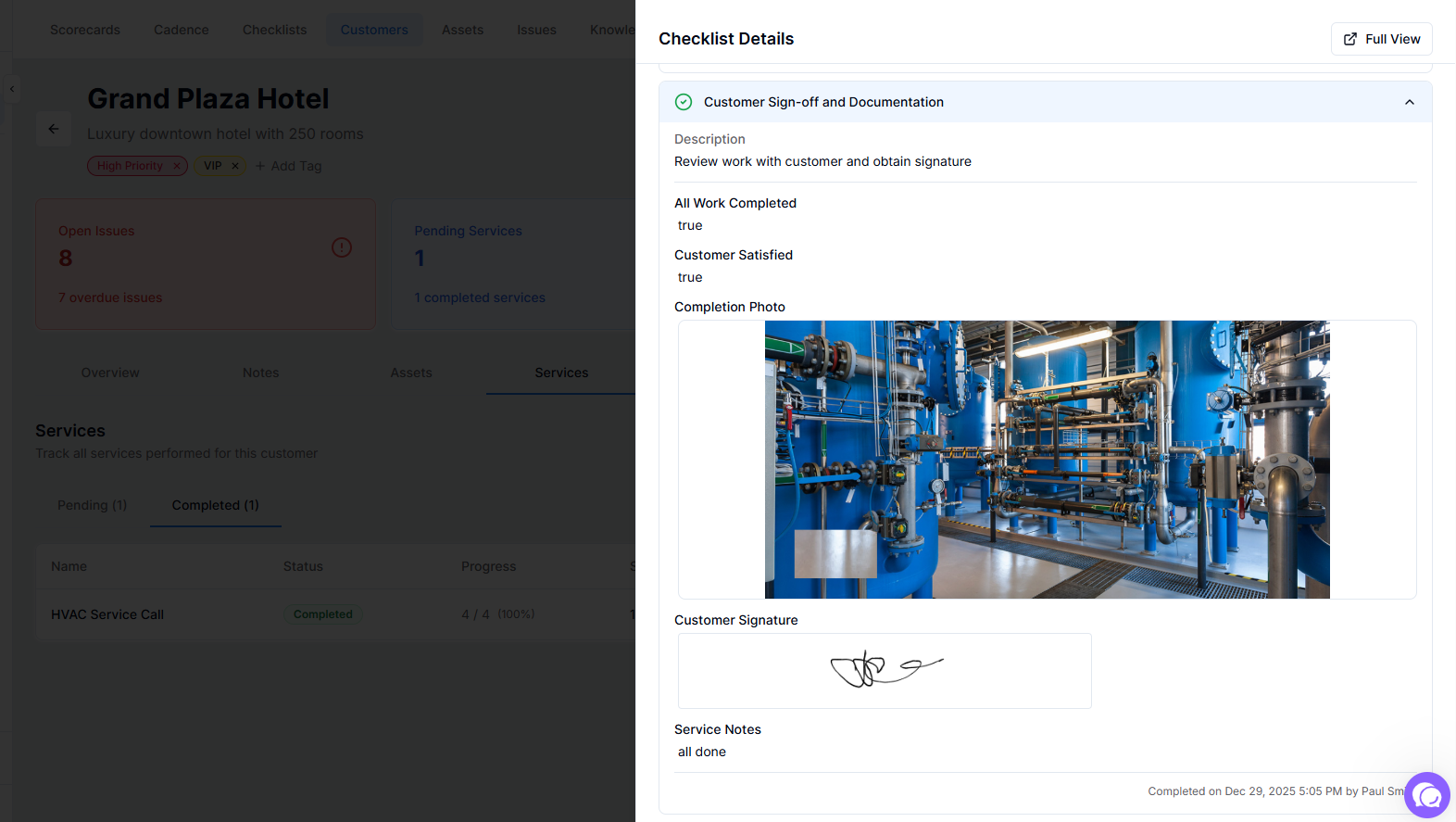
Get complete visibility into customer service history with the new Services tab. See pending work that needs completion, review past service records, and quickly start new services from your configured playbooks.
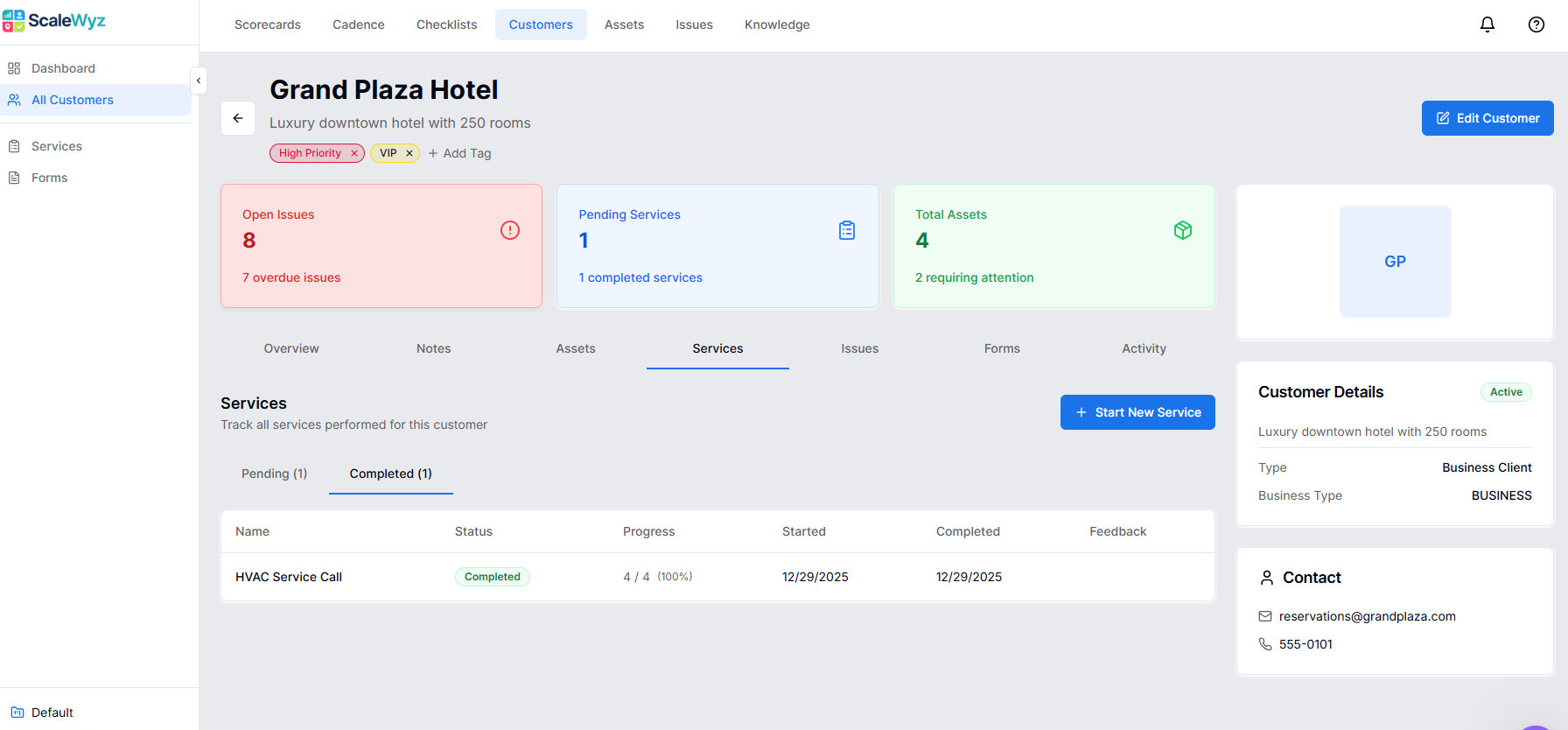
- ●Pending services section with due dates
- ●Completed services with timestamps
- ●"Start New Service" with playbook selector
- ●Filter by playbook type
- ●View full checklist details in drawer
- ●Notes now display in a clean timeline format with user avatars and timestamps
- ●Quick inline note creation across Customers, Assets, and Issues
Location & Customer Improvements
- ●Location management with parent-child hierarchy and GPS coordinates
- ●Customer detail tiles now show Open Issues, Pending Services, and Asset counts
- ●Customer association for locations
- ●Notes and activity tabs on location detail pages
- ●Customer Types & Playbook Linking - configure which playbooks are available for each customer type
- ●Filtered playbook selector when starting services
Playbook Types - Organize Your Service Templates
Organize your playbook library with types that match your service categories. Create types like Inspections, Maintenance, Cleaning, or Onboarding, then filter your playbook list with tabs showing counts per type.
- ●Create custom playbook types
- ●Tab navigation with counts
- ●Type-specific icons and colors
- ●Filter playbooks by type
- ●New Yes/No toggle field type for quick binary choices
- ●Improved date display formatting throughout
- ●15+ total field types now available in form builder
Ready to see ScaleWyz in action?
Experience all these features and more. Start your free trial or schedule a demo with our team.